How to Make an AI Rap Video: Step by Step, With Screenshots (2026)
How to make an AI rap video of you and a friend from two photos: every step with screenshots, what it costs, how long it takes, and how to fix blurry results.
Updated Oct 2, 2026
The short answer
Making an AI rap video takes four steps and about 3 minutes: add a photo of you and one of a friend (or one photo of both), write what the rap is about, pick the stage, and press make. The AI writes an original song and beat and renders the two of you trading verses on your own mics, lip-synced, as a vertical video for TikTok, Reels and Shorts. A standard song is 10 credits; you can pay once with no subscription, and a render that fails is never charged.
An AI rap video puts two real people — you and a friend, you and your partner — into a music video where they trade verses over a beat, lip-synced to an original rap. You don't film anything: the AI builds the whole performance from photos.
This guide walks through every step in the Rap Duo AI studio, with screenshots, then covers cost, timing and what to do when a video doesn't come out right.
What you need: one clear photo of each person (or one photo of the two of you), a phone or computer, and about three minutes.
Step 1: Open the studio and add your photos
The studio is on the homepage. The first step asks for two photos, one person each. Tap a slot to pick a photo from your phone or computer.
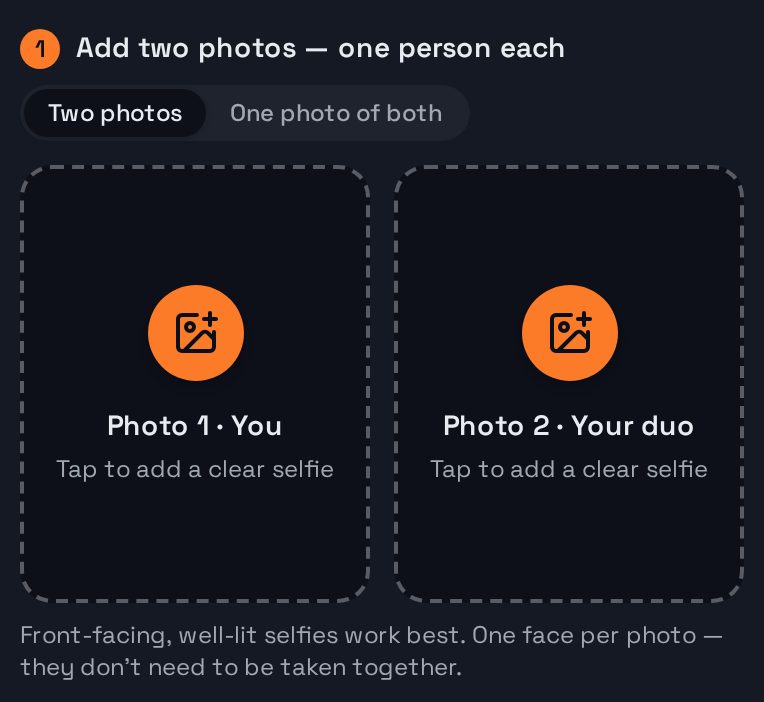
Have one photo of the two of you instead? Switch to One photo of both and add that single photo — the person on the left becomes rapper 1, the person on the right rapper 2.
Once the photos are in, they show in their slots. Tap the × on a photo to swap it.
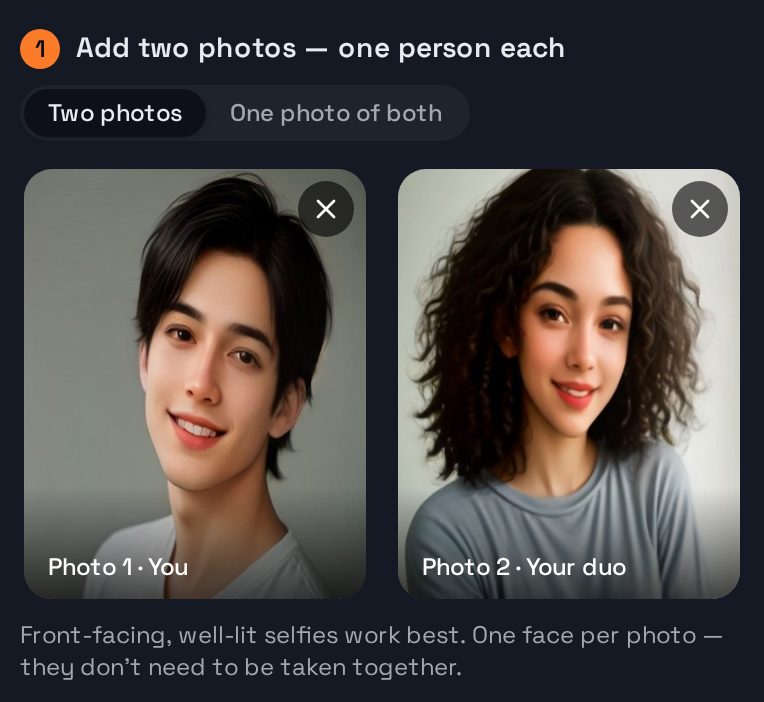
Photo tips that make a real difference:
- Front-facing, face fully visible — no sunglasses, masks or hands over the face.
- Good light, in focus. A normal phone selfie is ideal.
- One face per photo in two-photo mode.
- Everyday clothes. Swimwear or very revealing photos can be stopped by the safety filter.
Step 2: Pick the stage
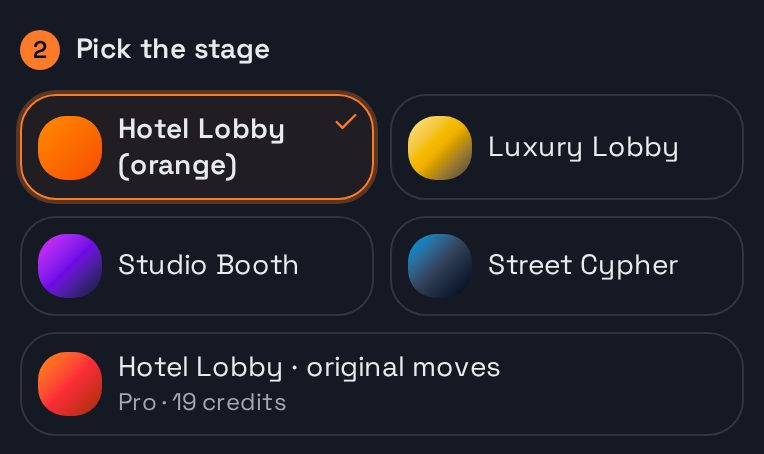
Choose where your duo performs. Hotel Lobby (orange) is the look of the viral trend; there's also a luxury hotel lobby, a neon studio booth and a street cypher at night.
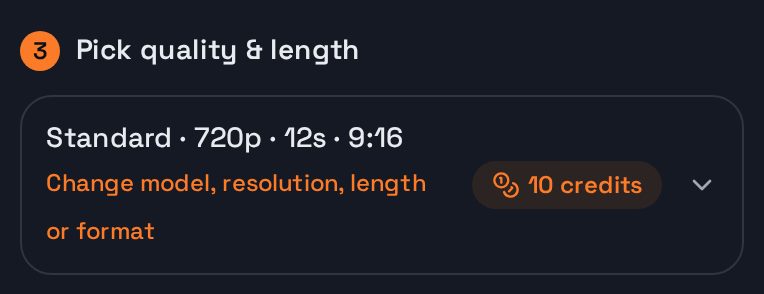
Step 3: Choose quality and length (or keep the default)
The default is a 12-second, 720p vertical video — right for TikTok, Reels and Shorts. Open this step to pick another model, 480p to 1080p, 5 to 30 seconds, or a square or widescreen format. The price in credits updates as you change it.
Step 4: Tell it what to rap about (optional)
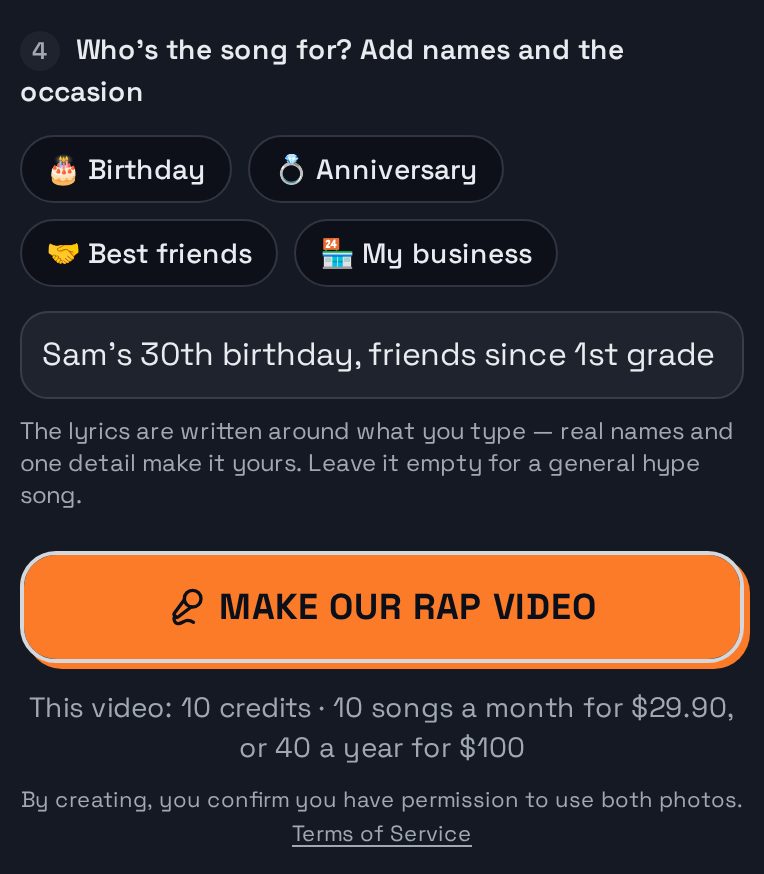
Tap What are you rapping about? and write one line. The AI writes the lyrics around it, in the language you write it in. Leave it empty and the duo raps about being the best duo in the game.
Good topics are specific: "best friends since kindergarten, still undefeated", "Jordan turns 30 and still can't cook", "farewell to Priya, the only one who fixed the printer".
Step 5: Make the video
Tap Make our rap video. If you're not signed in, you'll be asked to sign in first (Google takes one tap). With no credits yet, you pick a pack or a plan, and the video starts rendering as soon as you're back from checkout.
Step 6: Watch, then download
The video takes about 2–3 minutes; a progress bar shows where it is, and you can leave the page and come back. When it's done you watch it right there. A full video downloads as an MP4, ready to post.
This is what comes out — two AI-generated people on the Hotel Lobby stage, rapping the topic from step 4:
How much does an AI rap video cost?
Videos are paid with credits. A standard song (720p, 12 seconds) is 10 credits: one song is $9.99, packs start at $29 for 5 songs (about $5.80 each), bigger plans bring the price per song down to about $1, and the Basic plan is 10 songs a month for $29.90. A render that fails is never charged. Higher resolutions and longer videos cost more credits; the studio shows the exact cost before you make it.
Troubleshooting
- "The safety filter flagged these photos." Pick different photos: everyday clothes, face clearly visible. Nothing is charged when a photo or topic is stopped.
- "We could not find a clear face." Use a sharper, front-facing photo with the face large in the frame.
- The faces don't look like us. Better light and a straight-on angle help most. In one-photo mode, make sure both faces are clear and neither is turned away.
- It failed while rendering. A failed render is refunded; try again, or pick a different stage.
Keep going
- Want a music video built around the song rather than a trend look? See the AI music video generator.
- Mostly about the lyrics? Start from the AI rap generator.
- Doing the viral trend? Read how to do the Hotel Lobby trend.